How to Auto-Trade Binance Alpha With an Agentic Wallet (Step by Step)

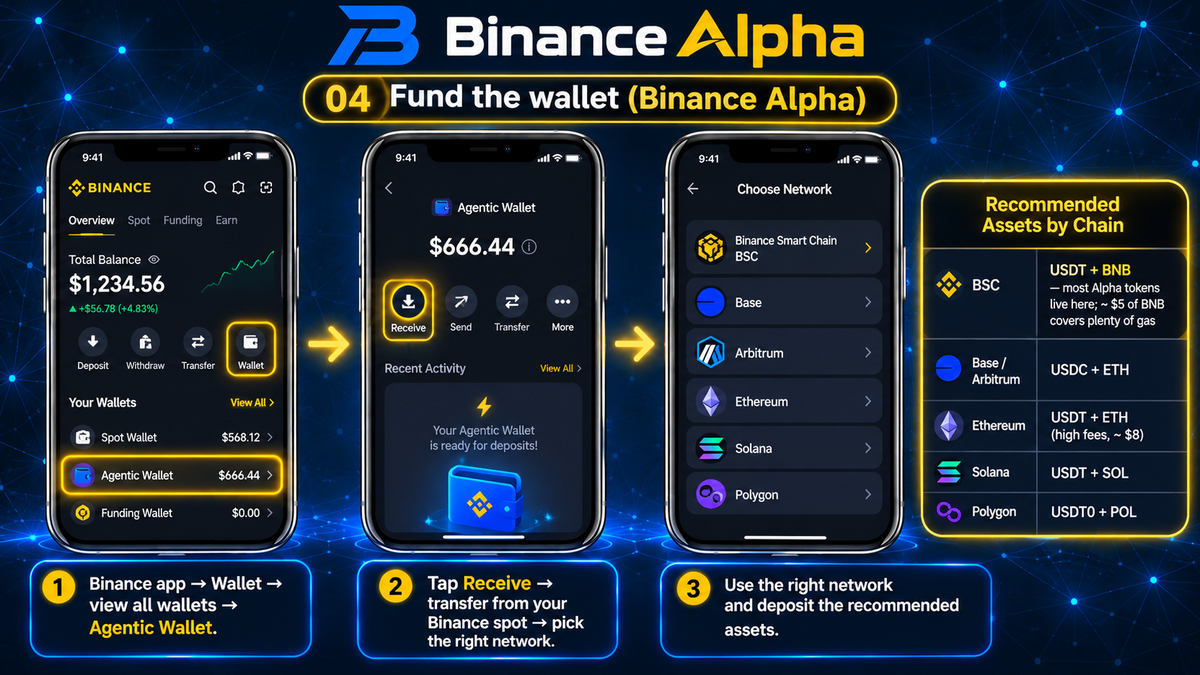
Auto-trading Binance Alpha sounds like it should take a weekend of API keys and server setup. With Binance's Agentic Wallet it takes about ten minutes: one Telegram login, one QR scan, one transfer. After that the bot buys, takes profit and stops loss by its plan — and you never hand over your keys.
This walkthrough shows every step, the wallet settings that matter, and the mistakes to avoid.
Why the Agentic Wallet changes the game
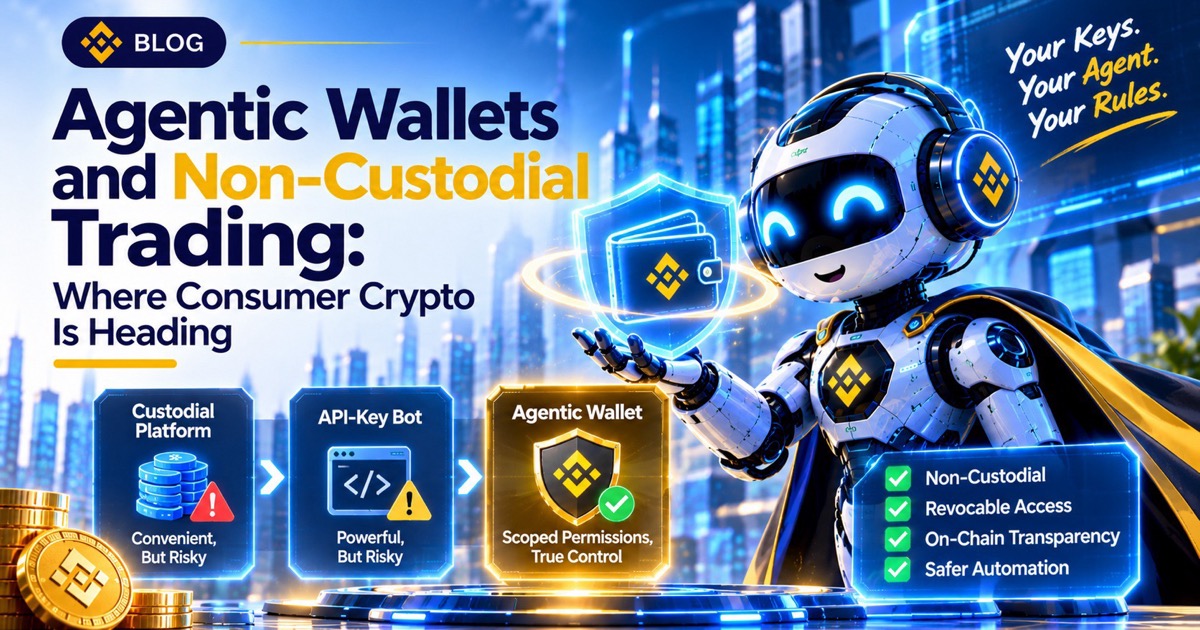
Old-school trading bots needed your exchange API keys — read-and-trade access to an account full of funds, secured by nothing but a string. The Agentic Wallet inverts that: it's a dedicated wallet inside the Binance app that you pair with an agent. The agent receives narrow permissions (buy, sell, within your limits) and nothing else. It cannot withdraw. You can disconnect it in one tap, and the wallet is yours forever.
Step 1 — Sign in with Telegram
Open the bot (@Binagunbot) and tap Sign in on the web. Your Telegram account is your identity — there's no password to leak and no form to fill. The same account follows you to the web dashboard, where positions, plans and billing live.
Step 2 — Connect the wallet with one QR scan
- In the bot, tap Connect Binance walletIt replies with a QR code and a pairing code, valid 5 minutes.
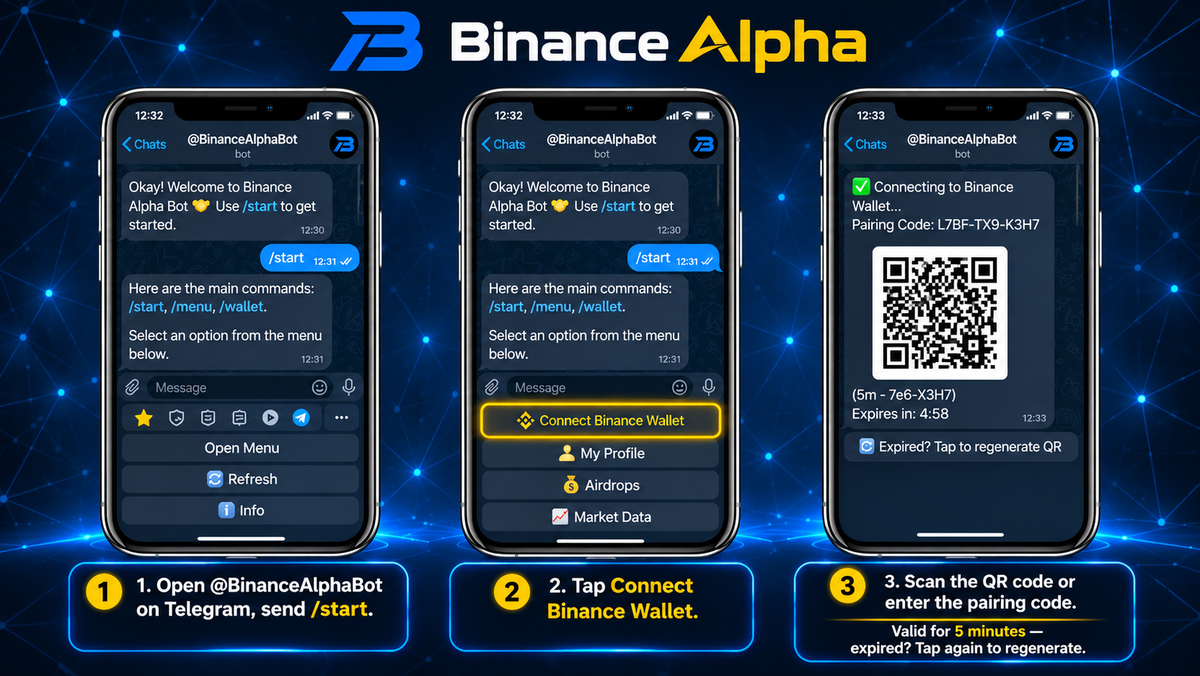
- Scan it with the Binance appOpen the app's scanner, point it at the bot's QR.
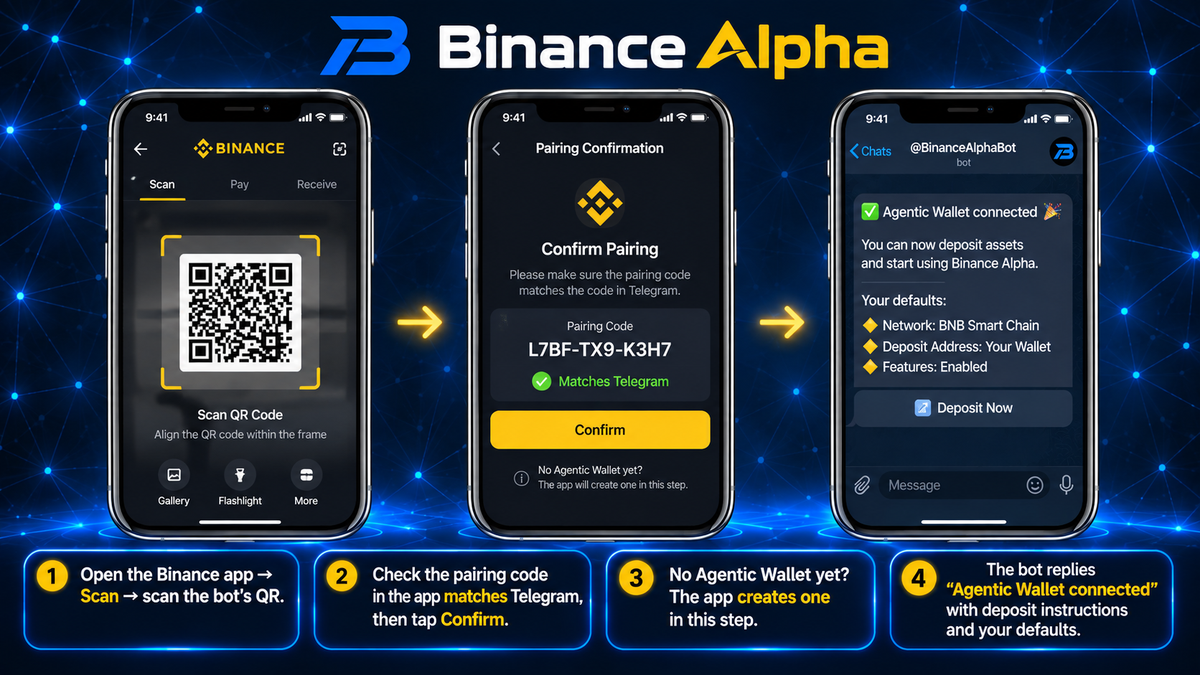
- Confirm the pairing code matchesThe code shown in the app must equal the one in Telegram — always check.
- Done — the bot confirmsNo Agentic Wallet yet? The app creates one during this step automatically.
Step 3 — Set the wallet settings once
In the Binance app under Agentic Wallet → Settings, four settings matter:
- Login validity: 1 year — keeps the agent connected without monthly re-pairing
- Tradable tokens: All — otherwise the wallet blocks the bot's orders
- Unusual transactions: Allow — same reason; the bot itself filters risky tokens
- Auto logout when idle: Off
Step 5 — Pick a plan and let it run
Every plan unlocks the same engines and full automation; only the horizon differs. After checkout the agent starts with its next scan. From then on: every buy and sell pings your Telegram with price, size, PnL and the transaction link; the dashboard shows open positions with their plans; /stop pauses new trades instantly (open positions still exit by plan).
What a good setup looks like after a week
- The bot made a handful of trades, sized at ~2% risk each — not a flurry
- Winners exited in stages at the take-profit ladder, losers at the stop — mechanically
- Your balance moved, but no single trade could have hurt it badly
- You checked the app twice and nothing needed you
Frequently asked questions
- Is connecting the Agentic Wallet safe? — The pairing grants buy/sell permission inside that wallet only — withdrawals are not possible. Your seed phrase and private keys are never shared, and anyone asking for them is a scammer.
- How much money do I need to start? — Enough that ~2% risk per trade and a 20-position cap make sense — and only what you can afford to lose. There is no minimum beyond gas costs.
- Can I trade manually in the same wallet? — Yes. Buy more or sell any token straight from the dashboard or the Telegram bot, exactly like the agent does.